
Chess Rush Play & Learn Online
ZOE STUDIOSBoard
4.856.00 Reviews
- Version
- 1.9.0
- Installs
- 100.00K
- Age Rating
- Everyone
Screenshots
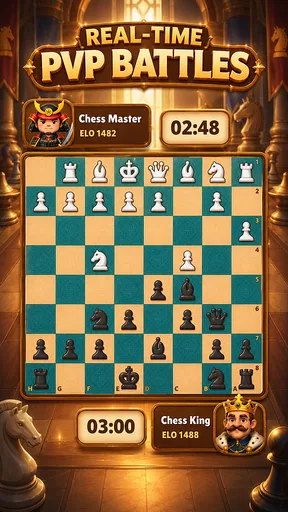

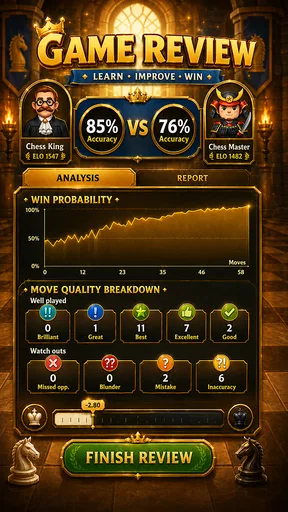
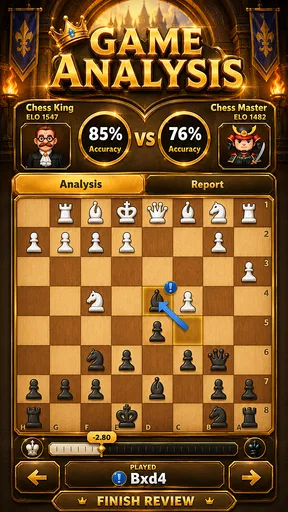


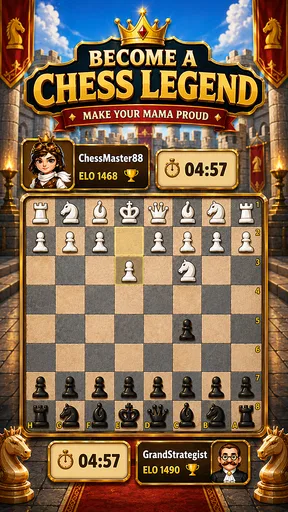
Our Review of Chess Rush Play & Learn Online
 Analysis by Appyee
I approached Chess Rush Play & Learn Online as a board-game app with one clear promise: help me spend my chess time doing something more useful than simply starting another match. The central capability is the combination of online play, lessons, puzzles, and checkmate training. That mix matters because it connects learning with immediate practice, although it also means the experience is most valuable when I use it deliberately rather than treating it as a casual game I open without a plan.
Developed by ZOE STUDIOS, the game is free to install and is rated for Everyone. It has reached over 100 thousand installs and holds a 4.8 average from around 1.9 thousand ratings, which suggests that its general approach has found an audience. I would describe it as a learning-focused chess board game rather than a replacement for every dedicated chess platform. Its appeal is the short path between seeing a lesson, solving a puzzle, and testing an idea online.
Why the learning-and-play combination is the real feature
Many chess apps make me choose between study and competition. A traditional board app may be excellent for playing but offer little guidance, while a lesson-first product can feel disconnected from the pressure of an actual game. This title is interesting because it puts those activities in the same space. The value is not simply that it contains several chess modes; it is that each mode can answer a different question.
A lesson can introduce a principle, a puzzle can ask me to recognize it, checkmate training can narrow my attention to finishing positions, and online play can reveal whether I remember the idea when the board is moving quickly. That sequence is more useful than passively watching explanations. The strongest part of the app is the bridge from learning to decision-making.
For a newer player, this structure can make chess feel less intimidating. Instead of facing a complete game with no idea what to study, I can begin with a focused exercise. For a returning player, it offers a practical way to identify rusty areas. I do not need to commit to a long study session every time I open it; a short puzzle session can still have a clear purpose.
The store summary emphasizes free puzzles, chess lessons, and checkmate training, and that focus shapes my expectations. I would not install it mainly for decorative extras or a broad collection of unrelated board games. I would install it because I want a compact chess routine that moves between instruction and play.
How the different activities fit together
The most sensible workflow is to treat the app as a loop. I start with a lesson when I need an idea explained, move to puzzles to test whether I can spot the idea without help, and then use a game to see whether I can apply it under pressure. Checkmate training works as a more specific form of repetition, especially when I often reach promising positions but fail to convert them.
This approach also changes how I interpret mistakes. Losing an online game is not automatically evidence that the whole session failed. If I notice that I repeatedly miss a final tactical move, I can return to checkmate exercises instead of randomly changing openings. If I overlook a basic pattern, puzzles are likely a better use of time than immediately starting another match.
That is a small but important distinction. Chess improvement often stalls when players collect games without reviewing the reason behind their errors. The app’s combined structure encourages a more targeted response, even if the user has to provide the discipline. It does not turn every game into a complete coaching session; I still need to pay attention and remember what went wrong.
What online play adds to the experience
Online chess changes the character of the app. A puzzle gives me a defined position and usually points my attention toward a tactical answer. A live game does the opposite: I must decide what matters before I know whether a tactic exists. That contrast makes online play a useful test of whether the lessons are becoming habits.
I find this especially relevant for players who solve exercises comfortably but struggle during real games. In a puzzle, I already know that a meaningful move is waiting. During a match, I must first examine checks, captures, threats, king safety, and loose pieces without being told where to look. The online component therefore exposes a gap that puzzle success alone can hide.
There is also a practical emotional benefit. A lesson can feel safe because there is no opponent waiting for my reply. An online game adds urgency, which may reveal whether I understand a concept or have only recognized it in a familiar diagram. For that reason, I would alternate between calm study and competitive play rather than spending all my time in one mode.
At the same time, online play may not suit every mood. If I have only a few distracted minutes, beginning a match can be a poor choice. A puzzle or lesson is easier to pause mentally and use as a focused exercise. This is one of the app’s most useful everyday decisions: choose the activity based on the kind of attention I actually have, not simply on what looks most entertaining.
A realistic routine for a busy player
Imagine I am waiting for a train after work. I have enough time to concentrate, but not enough certainty to begin a full game and finish it comfortably. I can use a few puzzles to warm up, pay attention to the patterns I miss, and save online play for a time when I can think without constantly checking the clock. On another day, I might start with a lesson at home, attempt related exercises, and then play while the idea is still fresh.
This routine is more effective than opening the app and tapping through activities at random. I would choose one narrow goal before starting: spotting mating threats, improving awareness of the back rank, or becoming more careful around exposed kings. The exact goal can come from my recent games. When I connect the exercises to a real weakness, the learning sections feel less like separate content and more like preparation.
A second useful habit is to stop after a small number of mistakes and inspect the pattern mentally. If I rush through puzzles merely to complete them, I may remember the answer but not the reason. I would pause after an incorrect move, reconstruct what the opponent threatened, and only then continue. That turns a short session into active practice instead of a guessing contest.
For online games, I would keep a simple note after each match: one position where I felt uncertain, one move I missed, and one decision I would repeat. This does not require a separate analysis system. It simply prevents the common habit of remembering only the result. The next lesson or puzzle session can then be chosen around the uncertainty rather than around the win or loss.
Checkmate training is more useful than it first appears
Checkmate practice can look narrow compared with a complete chess course, but it addresses a very common practical weakness. Players often create an advantage and then fail to recognize the final arrangement of pieces needed to finish. Repeatedly working on mating positions can improve the habit of examining the king’s escape squares, checking the opponent’s defenses, and looking for forcing moves before making a quiet one.
I would use this part of the app at the end of a study session, not only at the beginning. After learning a broader idea, finishing with checkmate positions keeps the session concrete. It also provides a useful reset after a frustrating online game: instead of chasing revenge in another match, I can return to a limited task with a clear objective.
The trade-off is that checkmate training cannot cover every reason a chess game is lost. It will not replace work on planning, endgames, opening choices, or positional judgment. Its strength is precision. If my main problem is failing to convert attacks into a finish, it is highly relevant; if I routinely lose material in the opening, I should not expect mating exercises alone to solve that.
Lessons and puzzles require active participation
The presence of lessons does not automatically make the app a personal coach. I get the most from them when I treat each explanation as a question rather than background reading. Before accepting a recommended idea, I try to predict the move, identify the threat, and imagine what a careless reply would allow. That extra effort makes the transition to puzzles more meaningful.
Puzzles are also easier to misuse than they seem. If I tap moves quickly until something works, I may develop a habit of searching for a lucky answer instead of calculating. I prefer to pause before moving and state the reason in plain language: the move gives check, wins a piece, creates a threat, or prevents one. This is a simple technique, but it makes the app’s exercises more transferable to online games.
Another practical tip is to separate recognition from calculation. First I look for forcing possibilities; then I calculate the opponent’s best response. The app can present the position, but the quality of my improvement depends on how seriously I perform that mental work. In this sense, the game gives me useful material, while I still supply the training discipline.
Where the free model helps and where it may frustrate
The free price makes experimentation easy. Someone who is unsure whether a learning-oriented chess app fits their routine can try the core experience without committing money at the start. That is especially helpful for families or beginners who want a straightforward way to explore lessons and puzzles before choosing a long-term chess service.
There are in-app purchases ranging from $0.99 to $99.99 per item, so I would pay attention to the purchase flow and decide in advance whether I want to keep the experience entirely free. The wide range means different optional items may carry very different costs. I would not assume that every useful part requires payment, but I also would not treat the free label as a guarantee that every future convenience will remain unrestricted.
This is a genuine trade-off against some traditional chess alternatives. A physical board has no in-app purchase prompts, but it also cannot provide interactive puzzles or online opponents by itself. A general online chess service may offer deeper analysis or a larger competitive ecosystem, while this app’s more focused learning path may feel simpler for someone who wants guidance without navigating a large platform.
The game is also not the best fit for players seeking an advanced tournament environment above all else. If my priority is extensive competitive tools, highly detailed post-game analysis, or a very specialized training system, I would compare dedicated chess platforms before settling here. The attraction of this title is its compact blend of lessons, puzzles, checkmate work, and online play, not the promise of replacing every chess resource.
Device and version considerations
The current version is 1.9.0, and the minimum operating-system requirement is version 10. That makes the app unsuitable for devices that cannot reach that system level, even if the hardware itself still handles simple board games well. Before installing, I would check the operating system rather than assuming that an older phone will work because chess graphics are usually lightweight.
The Everyone age rating also makes the app approachable for mixed-age households. Still, I would guide younger players toward the learning activities first. Online play introduces a different kind of experience from solving a puzzle, and a parent may prefer to establish a routine around lessons and supervised games before leaving a child to explore independently.
Performance expectations should remain realistic. Chess does not demand the visual complexity of a modern action game, so the main question is less about graphics and more about whether the interface keeps the board readable while I am thinking. A clean board and clear move input matter far more here than visual spectacle. I would choose a comfortable screen and stable connection when playing online, because concentration is easily damaged by interruptions.
Who gets the most from Chess Rush
I think the best audience is the player who knows the rules, wants to improve, and needs a structured starting point. Beginners can use the lessons to build confidence, while casual players can use puzzles and checkmate training to make their games less dependent on instinct. The app is particularly suitable for someone who tends to play repeatedly without learning from the result.
It can also work well for a player returning to chess after a long break. Rather than jumping into serious competition immediately, I would use the lessons to refresh basic ideas, puzzles to restore tactical vision, and online games to measure comfort. The progression is flexible enough to support short sessions, which is useful when chess has to fit around work, school, or family commitments.
Parents may appreciate the Everyone rating and the educational angle, especially when the goal is to make chess practice feel like a game. I would still explain that improvement depends on reflection, not just completing activities. A child who enjoys solving positions may gain more from discussing why a move works than from racing through as many exercises as possible.
On the other hand, I would skip it if I only want a bare digital chessboard with no learning layer. I would also look elsewhere if my main interest is a deep competitive ladder, extensive analysis, or a highly specialized curriculum. The app’s focused combination is an advantage for many users, but it can feel limiting to players who already have a mature study system and need advanced tools instead of guided practice.
My recommendation after using its central approach
What I like most is the way the app encourages a useful question after every session: what should I practice next? Online play supplies the problem, puzzles sharpen recognition, lessons explain ideas, and checkmate training gives me a precise finishing skill to repeat. That cycle is more valuable than any one section considered alone.
My main caution is that the app cannot create improvement automatically. It is easy to tap through a lesson, guess at puzzles, and start another game without retaining anything. I would get better results by choosing one goal, thinking before each move, and connecting exercises to mistakes from actual play. Users who want instant victories may find the learning structure less satisfying than a simple casual chess app.
Overall, I recommend this free board game to beginners, returning players, and casual competitors who want chess practice to feel organized without becoming overly formal. Its 4.8 average and growing audience make it easy to understand why it attracts attention, but my recommendation rests more on its practical design: it gives each short session a possible purpose. If you want online chess that also nudges you toward learning, this is worth trying; if you need advanced competitive analysis above everything else, a more specialized alternative will probably serve you better.
Verdict
Strengths of Chess Rush Play & Learn Online
- Interactive lessons help beginners understand chess fundamentals.
- Online matches offer a practical way to test developing strategies.
- Puzzles provide short training sessions for quick daily practice.
- Progress tracking can motivate players to maintain regular study habits.
- Suitable for learning at different skill levels and experience ranges.
Limitations of Chess Rush Play & Learn Online
- Some advanced lessons or features may require a paid subscription.
- A stable internet connection is needed for online play and content access.
- Matchmaking quality can vary depending on the available player pool.
- Beginners may find the number of learning options slightly overwhelming.
- Notifications and promotional prompts may become distracting over time.
Similar Picks in This Category
View All
Ludo King®
Gametion4.1

Ludo
Yarsa Games4.6

Tile Master® - Matching Game
Higgs Studio3.6

Checkers Online
CC Games4.6

Dominoes
Loop Games4.7

Chess
Chess Prince4.6
Frequently Asked Questions
What is Chess Rush Play & Learn Online?
Chess Rush Play & Learn Online is an educational chess app designed to help beginners and younger players learn the fundamentals of chess while also playing complete matches. It typically combines guided lessons, puzzles, practice activities, and online or computer opponents. The interface is intended to make learning less intimidating, although the amount of available content and specific features may depend on the version installed and the user’s device.
Is Chess Rush Play & Learn Online suitable for beginners and children?
Yes, the app is mainly aimed at users who are learning chess or want to improve their basic skills. New players can use lessons to understand how each piece moves, how captures work, and how common tactics are applied. Children may also find the visual presentation approachable, but parents should still review the app’s online functions, advertising, purchases, and privacy settings before allowing unsupervised use.
Can I play Chess Rush Play & Learn Online without an internet connection?
Some learning activities or games against a computer may work without a constant internet connection, but online multiplayer, account synchronization, rankings, and certain lessons generally require access to the internet. Offline availability can vary by platform and app version. If offline play is important to you, it is best to test the main practice modes after installation rather than assuming every feature will remain available without connectivity.
Does Chess Rush Play & Learn Online include online multiplayer?
The app’s online focus suggests that it may support playing chess against other users or accessing connected learning features, depending on the current release. Online matches can make practice more engaging because you face real opponents with different playing styles. However, users should expect possible matchmaking delays, connection issues, chat or interaction features, and skill differences. Check the in-app rules and privacy options before starting multiplayer games.
Is Chess Rush Play & Learn Online free to download and use?
The application may be available to download at no initial cost, but free access does not always mean that every feature is included. Some lessons, advanced exercises, cosmetic elements, ad removal, or other tools may require in-app purchases or a subscription. Before committing to payment, review the store listing and purchase screen carefully, especially if a child will use the device, and confirm whether charges renew automatically.
Play our best games!


